Welcome to Your New POS Solution, Sakura POS!
The following guide is intended to give you quick, step-by-step instructions and a brief overview of how to get started with Sakura POS.
Getting Started
- Create Your Sakura Account: Visit our website and sign up for a new account.
- Log In: Use your credentials to log in for the first time.
- Set Up Your Point of Sale: Follow the guided setup process to configure your front-end POS system.
Key Features
- User-friendly interface for easy navigation.
- Fast and secure transactions.
- Comprehensive reporting tools for better business insights.
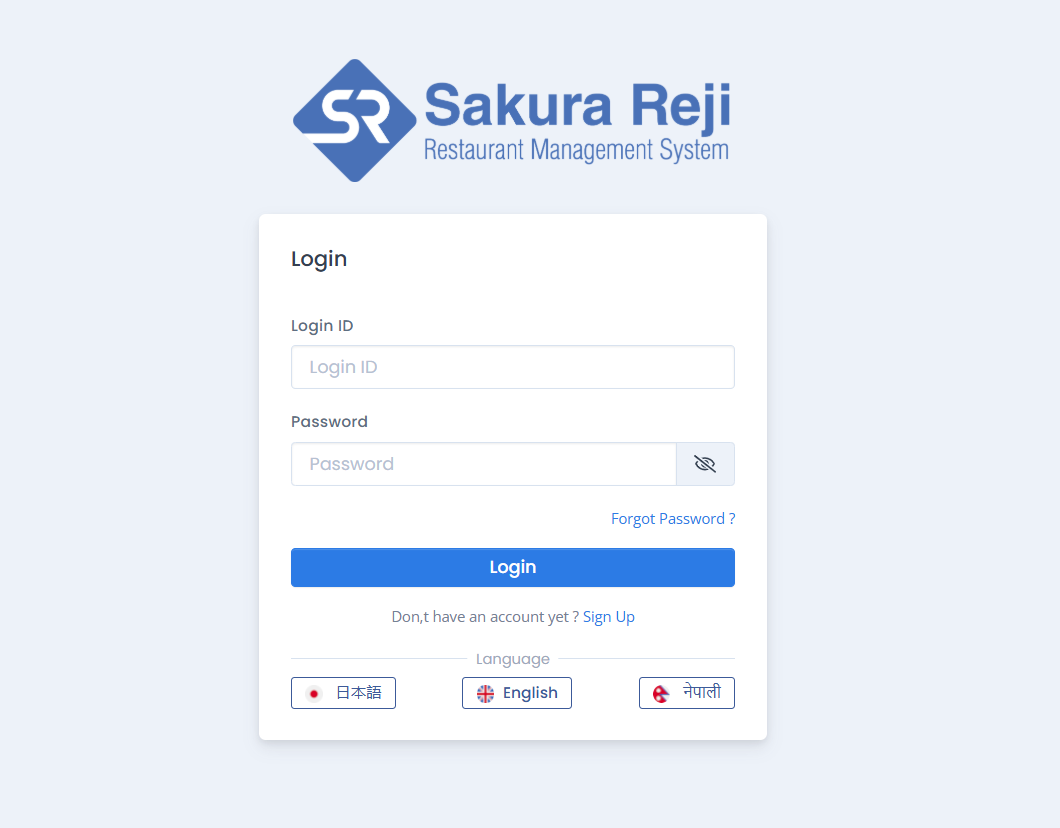
Sakura POS Login WebPage
- Go to your Sakura POS login page and enter your personal details to authenticate. Typically, you will only need your Login ID and Password.
- If you have secure access to your device. When ever you tried want to open the Sakura POS you need to login to get access to their respective accounts.
- Finally, click "Login" to access your account.
After successfully logging into your Sakura POS account you will get to your dashboard.
In your dashboard as per your configuration you will have the features at the left side bars from where you can find menus like Sales, Orders, Menus, and Other services
Download Sakura Reji App from Google Play store in Android or App store in IOS
Google Play
How to Install Sakura POS on Android
- Open the Google Play Store on your Android device.
- Tap the search bar at the top of the screen and type "Sakura POS".
- Find the Sakura Reji app in the search results.
- Verify that it is the official app by checking the logo and developer information.
- Tap the Install button.
- The app will begin downloading and installing automatically.
- Once installed, tap Open to launch the app and log in with your credentials.
App Store
How to Install Sakura POS on iOS
- Open the App Store on your iOS device.
- Tap the Search tab at the bottom of the screen.
- In the search bar, type "Sakura Reji" and press Search.
- Locate the Sakura POS app in the search results.
- Ensure it is the official app by verifying the logo and developer details.
- Tap the Get button, and if prompted, confirm with your Apple ID, Face ID, or Touch ID.
- Wait for the app to download and install on your device.
- Once installed, tap Open to launch the app and log in with your credentials.
After downloaded the Sakura Reji App on your device then, login with your provided crediential, and enhance your business with Sakura Reji (Point on Sale). You can customize and add the user for your POS App from the POS setting and your can explore more..
