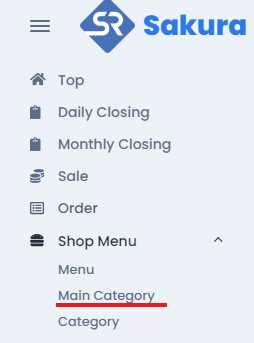
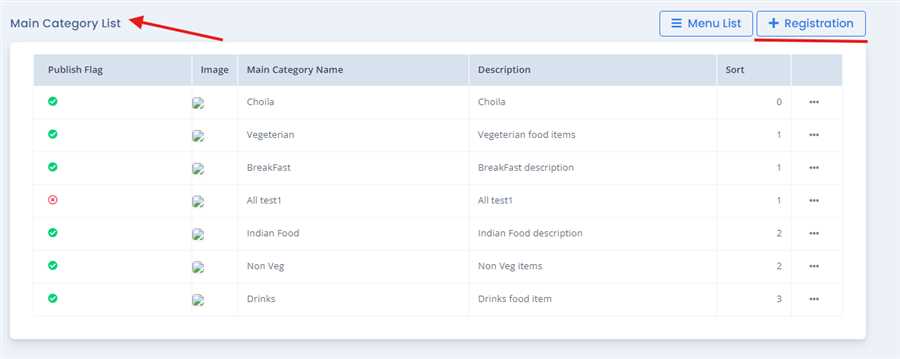
Click on Shop menu and you find the Main Category Tab, go through the menu tab, and click on Main Category, then you will find the Main Category List with registered main category with their information, where you will find the Registration button on the top right.
After pressing Registration button,Main Category registration form opens up where you can fill up required information like Main Category(English), Main Category(Japenese),description, image etc and press Registration button to register the Menu.
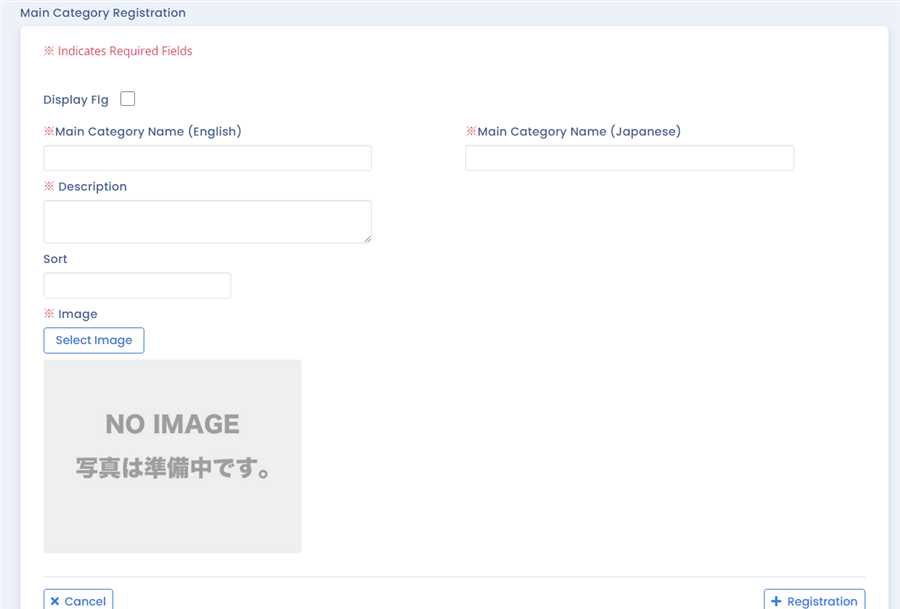
Note: Red astreix mean the required field in necessary and must me filled and must not be left empty or blank.
Aflter filling up the form with required information and pressing Registration button a dialogue box appers to confirm the registration, if confirmed Registration of the main category is complete.
Here are the description of the fields:
Display Flg: This flag shows whether the given main category is to be published(shown) or not.
Main Category Name (English): This field contain the name of main catergory in English language which is also a required field.
Main Category Name (Japanese): This field contain the name of main category in Japanese language which is also a required field.
There is field name called Desription where the description of the main category is entered.This description will be shown below the name of the main categroy in CTO. Detail descritption of main category like its ingrendients or composition of the main category are specified in this section.This is required field.
Image:
The image of the main category are Clicked and uploaded from this field to show the image of that main category while displaying in different site or app (POS app, Ryoriten site, CTO ). To upload the Image there are follwing steps.
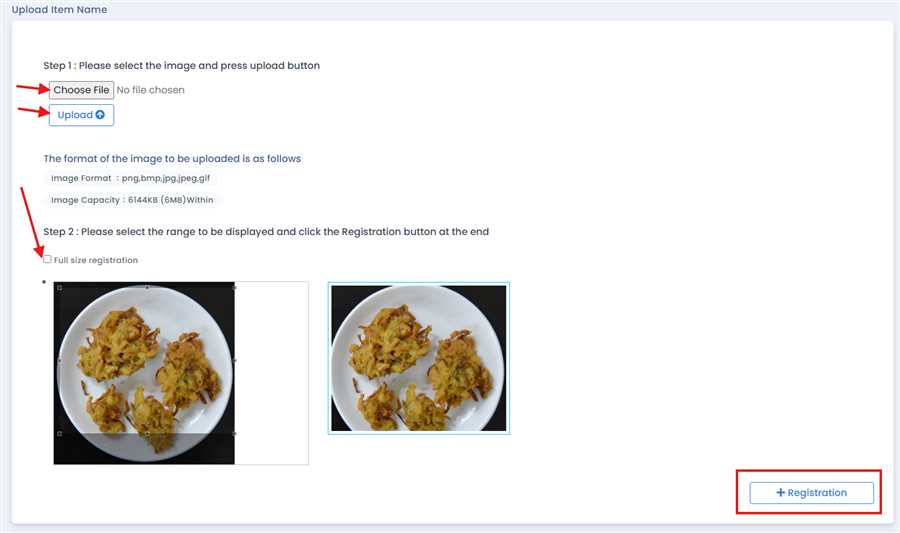
- Firstly Click on the Select image button in the form, after this the dialog box will be opened which is as shown in figure above.
- Then Click on Choose File to choose a image you want to upload, this is done by browsing the image from your device.
- After choosing image Click on Upload button, on doing this the choosed image will be displayed below.
- Tick the Full size registration or you can crop your image as your wish.
- After this Click on Registration Button while doing this the menu image for that main category is registered and Displayed in the form.
