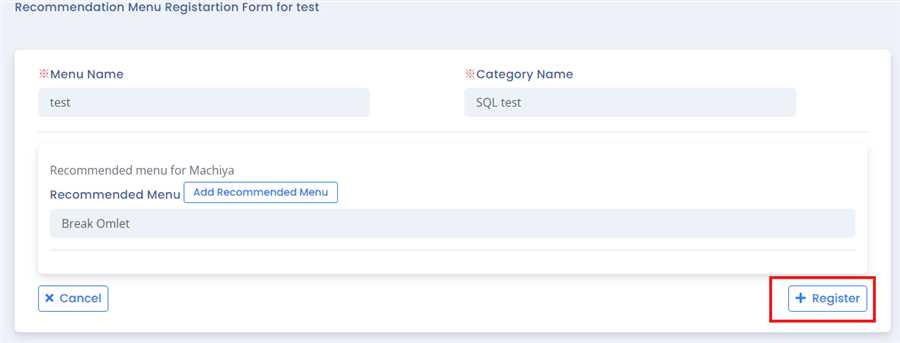
How to add Recommendation Menu in COO
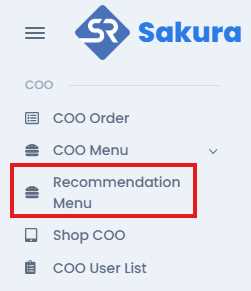
User can find Recommendation menu at left side under COO section. After clicking, then you will find the list of Recommendation menu with their information.
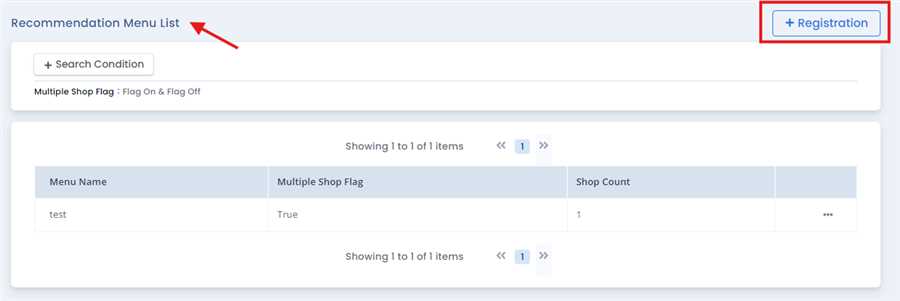
To register the menu, Registration button is clicked which gives the list of Menu eligible for the COO recommendation in Recommmendation Menu List.
After selecting a menu in the list, a form opens up where the user can set the selected menu to another menu as it recommended menu by clicking on Add Recommended Menu button
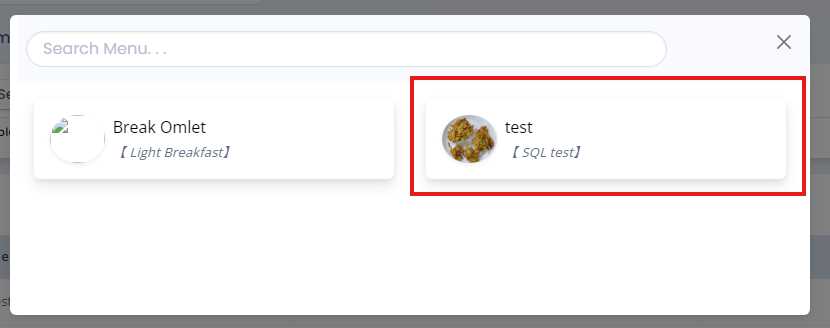
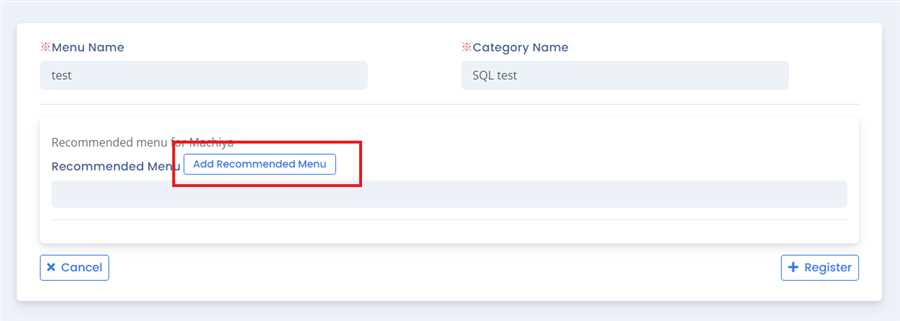
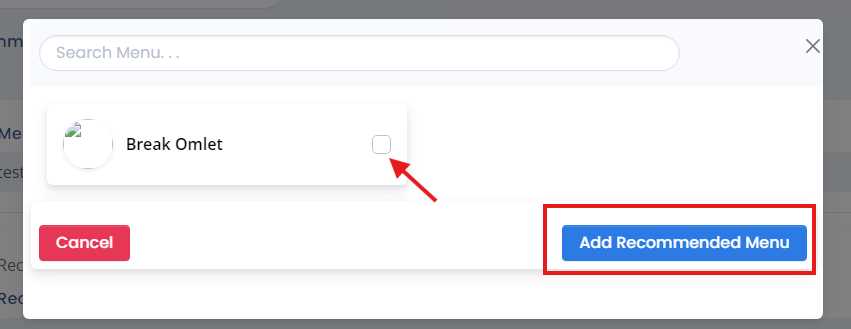
Clicking on Add Recommended Menu button user can add the menu as recommended menu of the selected menu by selecting on checkbox and again pressing add recommended menu button.
Note: A single menu can have many number of recommended Menu.
Finally, Register button is clicked to add recommendatrion menu in coo. By this process/ procedure you can simply add recommendation menu in COO in the POS system.