User can press Delete button after pressing ... tab of the respective course setting in Course Setting List.
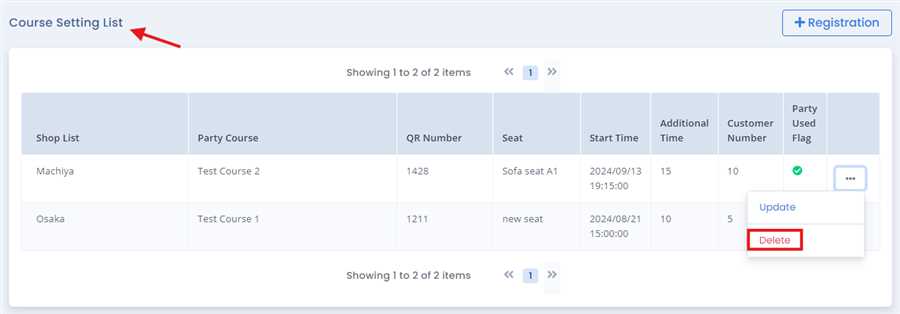
After pressing Delete button a pop up form opens which shows the information of that course setting,after viewing the information user can delete the course setting by pressing Delete button
Note:Certian condition must be met or fulfilled to delete the course setting otherwise it is disabled or greyed out
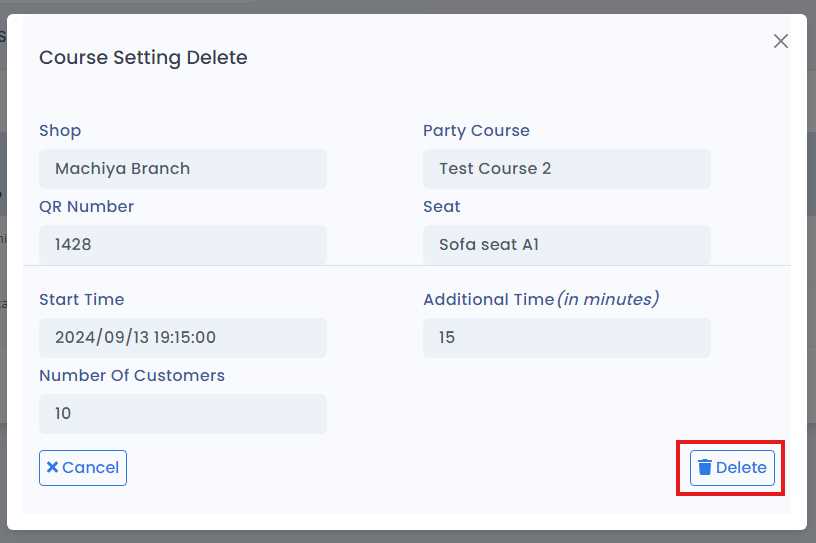
By this process/ procedure you can simply Delete Course Setting of party course in the POS system.
