How to add closing data on shops with no POS Use Flag?
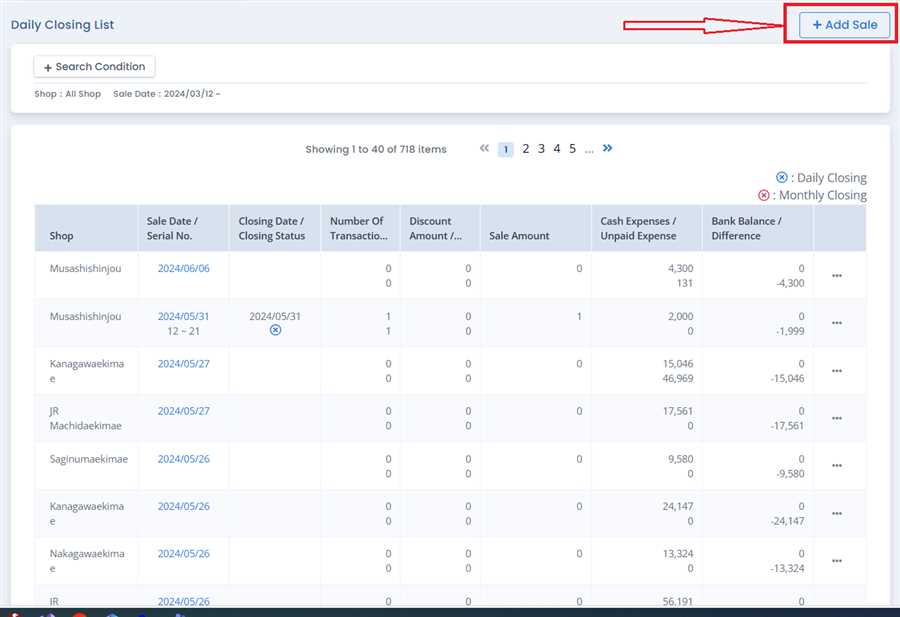
Click Add Sale Button
Click on add sale button on top right corner od daily closing page. A list of shops that not use POS appears.
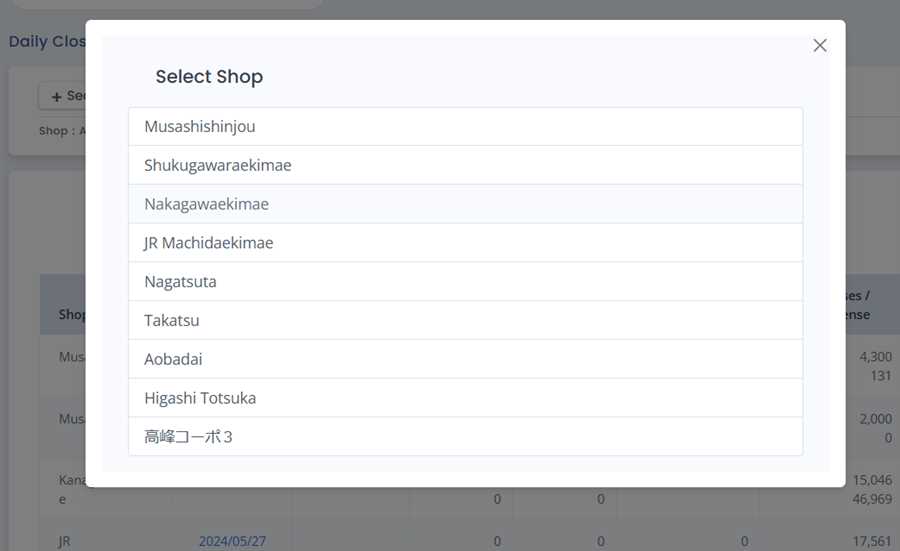
Select Shop
Click on your desired shop from the list. A form including different fields related to closing appears.
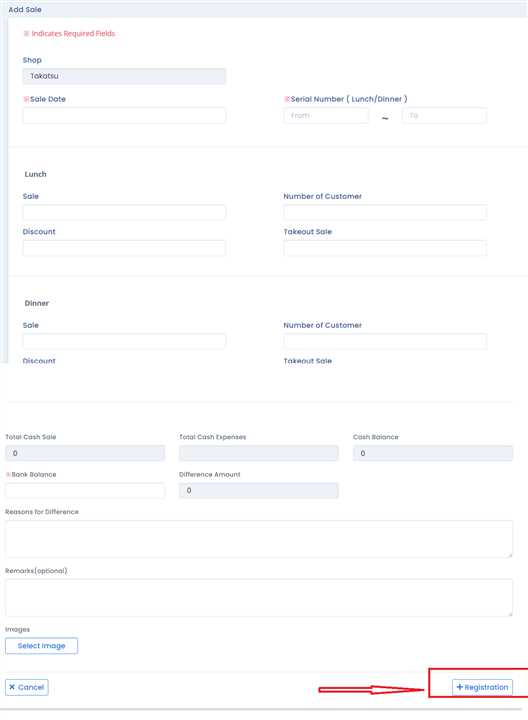
Submit the form.
Fill up the form and click on 'Registration' Button located in bottom right corner. This will submit the form making it easier for shops with no POS use flag to do daily closing.