Steps to Delete the Delivery Service.
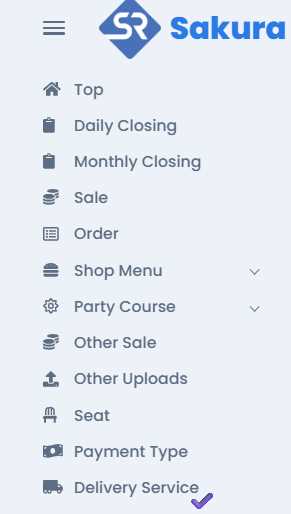
Go to the Delivery Service List by clicking Delivery Service tab from tab bar .
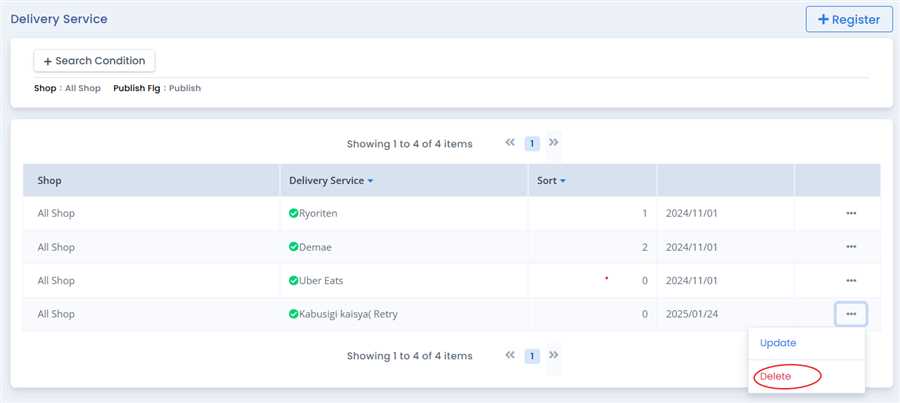
This open up a list of registerd Delivery Service and you can Delete the selected Delivery Service by pressing Delete tab.
After pressing Delete tab the Delivery Service delete form opens up with the information of that registered Delivery Service. User can delete that registered Delivery Service by clicking Delete button.
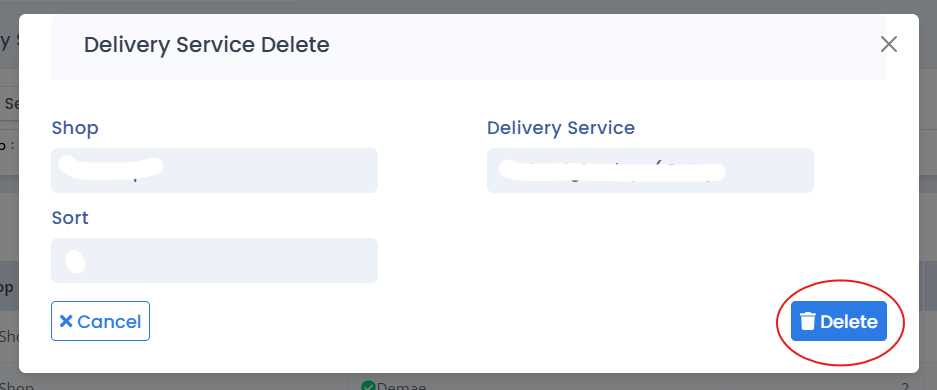
By this process/ procedure you can perform deletion of a Delivery Service in the POS system.
Reason's why can't you delete Delivery Service
'Delivery Service' might be for multiple shop and you are a "Shop Manager". A Shop Manager is unable to delete or update data for other shops.
A Shop General can only see Delivery Service, it cannot change or insert Delivery Service.
Delivery Service might have been used already used for order process..
