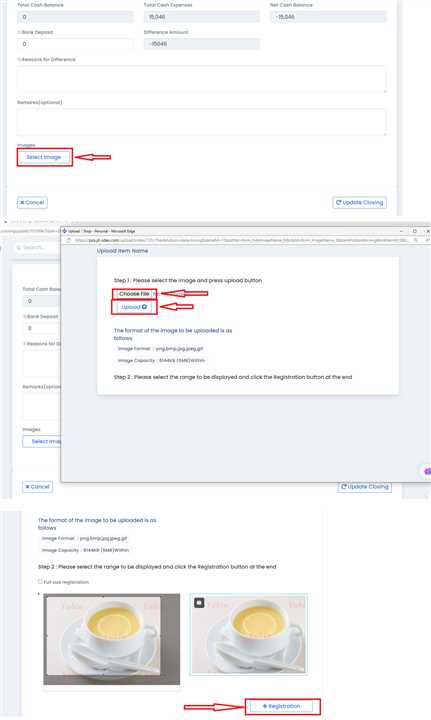
How can we Upload Images in Daily Closing?
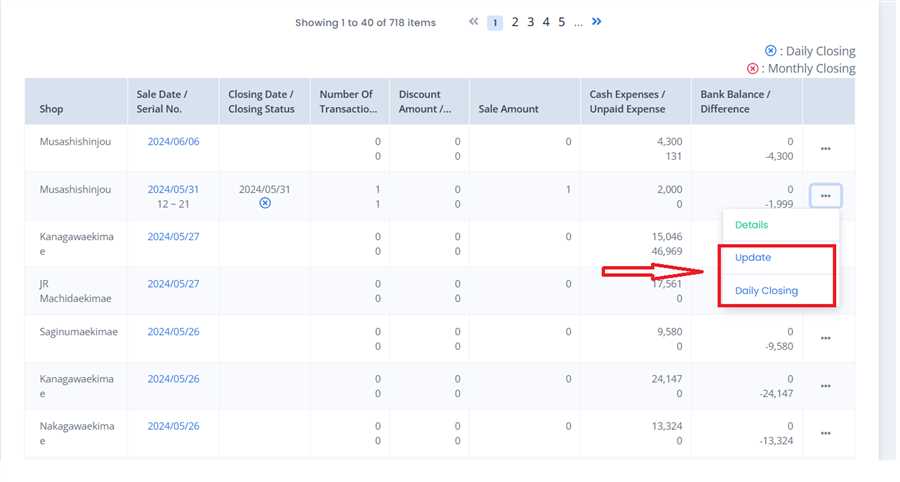
Open the form
Open the daily closing form by clicking any one of these buttons('Update' or 'Daily Closing) as sown in the image.
Upload Images
Navigate to the bottom of the form and click on 'Select Images' Button. A popup page will open. Click on ' Choose file' button to browse through the files in your device. Choose an Image and click on 'Upload' button. You can Crop The image on the page that follows. Finally Click on 'Registration' Button and Submit the form. You can Upload more than one Image on a single closing form.