Before Setting up QR information of seats, your shop need to have a CTO service access from the Company.
After your shop is registered for CTO you can find the the QR Data Button on the Seat list
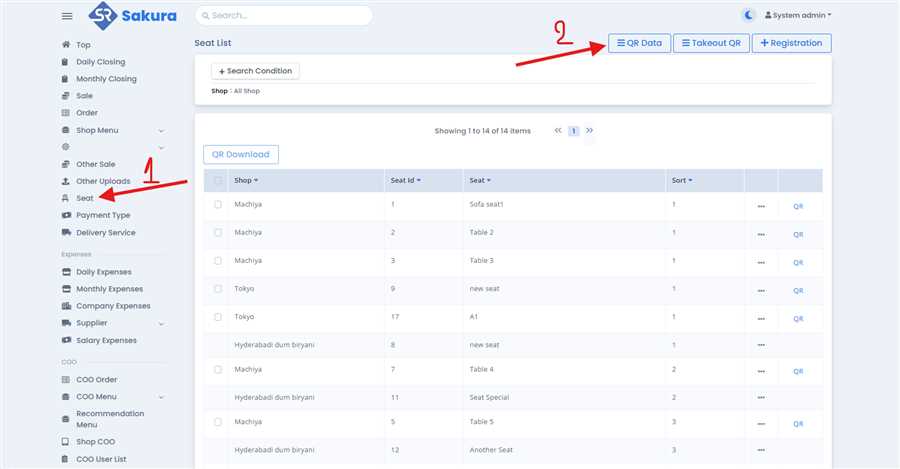
① On the left side bar you will find the seat section, Click on that seat section to open a seat List
② On the seat page, if your shop has access to CTO then you will find a button name as QR Data, click on that button and find your shop and edit the data as per your needs.
