Step to Update the Employee Information
You will find the Employee List at left side in Menu bar.
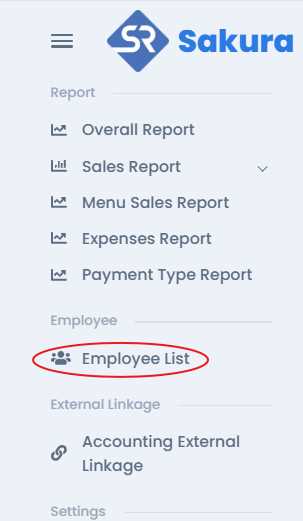
Click on Employee List, then you will find the Employee List with registered Employee, where you will find the three dot button for each employee. Click & choose 'Update' tab to Update Information
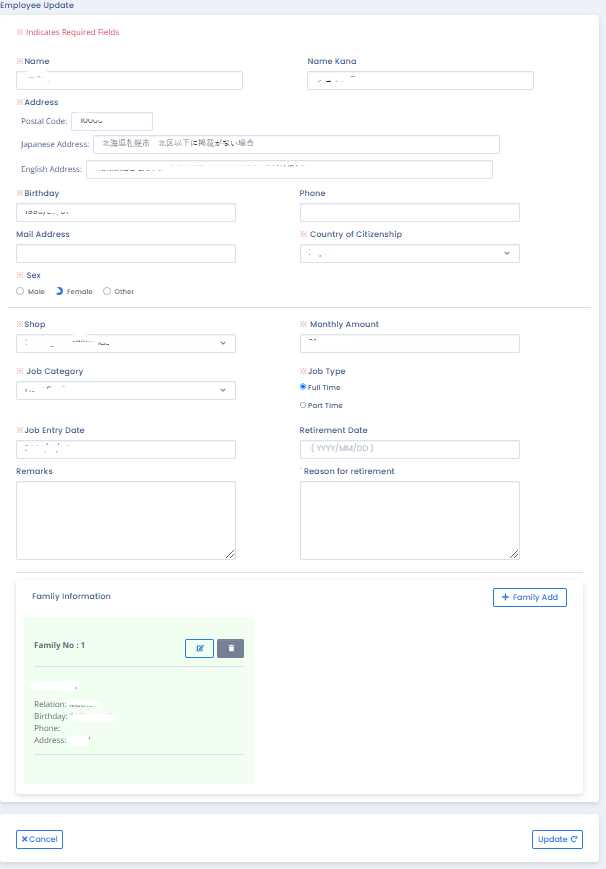
It will opens the Employee Update form with previously registered information.
Now you can change the information as you wish to change & register.
Family Information
Click on Family Add button to add more family member you wish to add. & fill the form as registration process .
To edit click on Edit button to edit the information you entered previously.
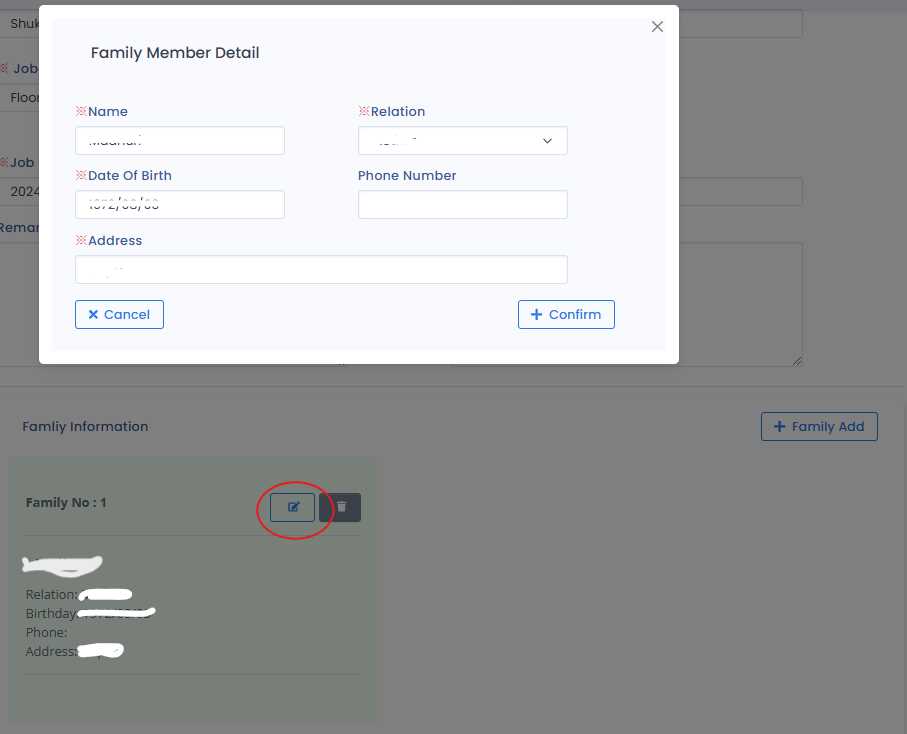
It Opens the pop up family information of employee family . Now edit & submit.
Note: ※Red astreix mean the required field in necessary and must me filled and must not be left empty or blank.
After changing the information press Update button & Confirmed the information you entered & Submit.
