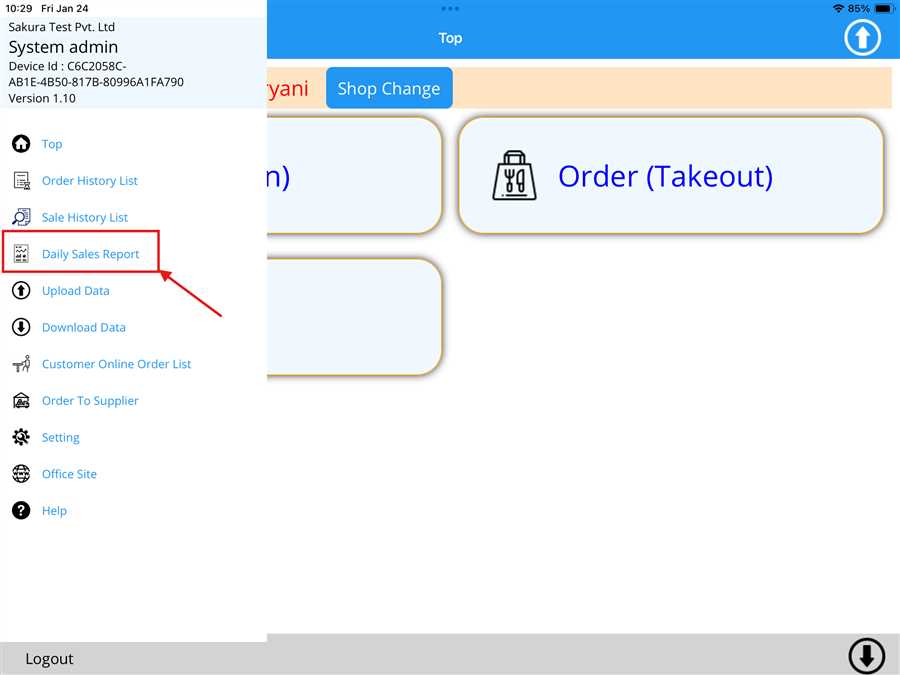
The user can view Daily Sales Report by navigating to the sidebar od the POS app.To access the sidebar,press the  icon located at the top left of the home page.Then, click on the Daile Sales Report(denoted by red arrow), as shown in the figure below.
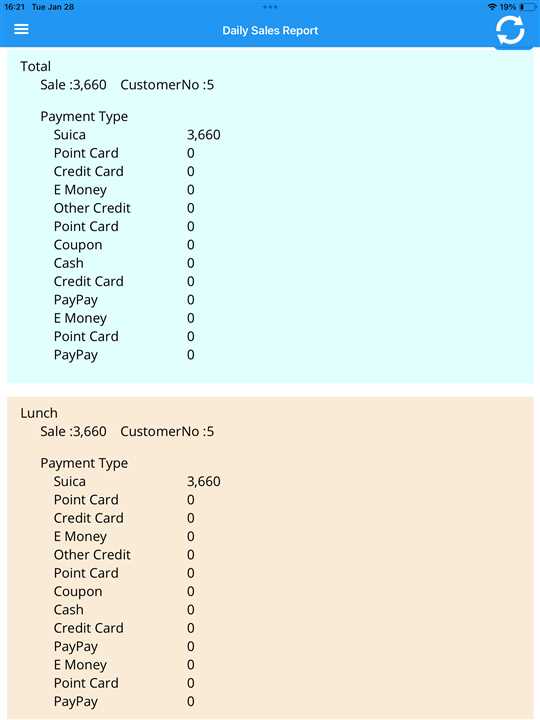
After clicking on the button a report opens up where the user can see the sales through different payment method with sales, no of customers and different times such as breakfast, lunch, dinner as shown in the figure below.
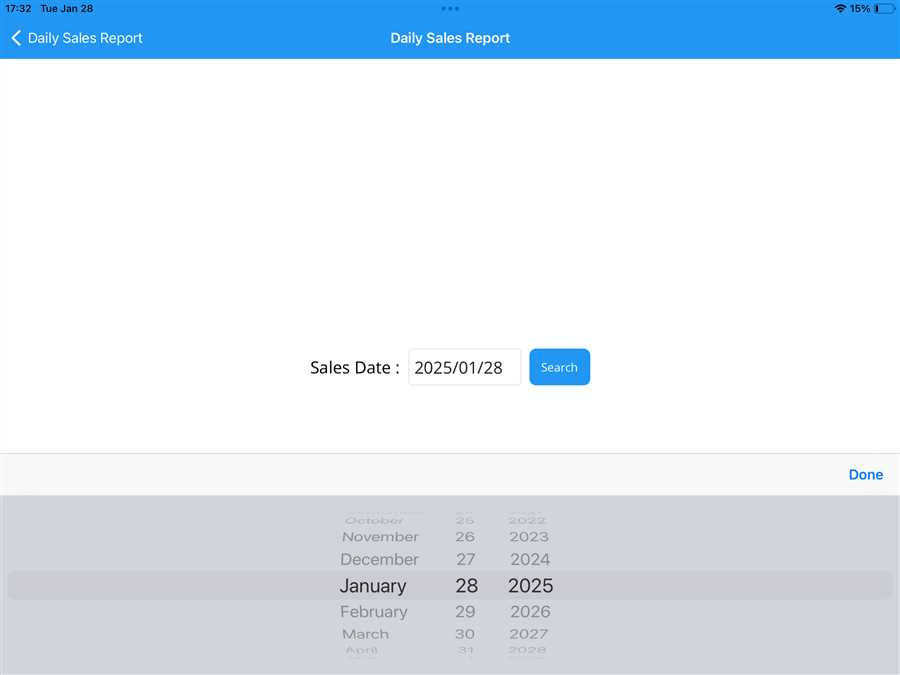
The user can also select or view data from a different date by clicking on the Sales Date (denoted by the red box), as shown in the picture. After clicking on the date, a seperate page with date selection section appears, allowing the user to view data for the selected date.
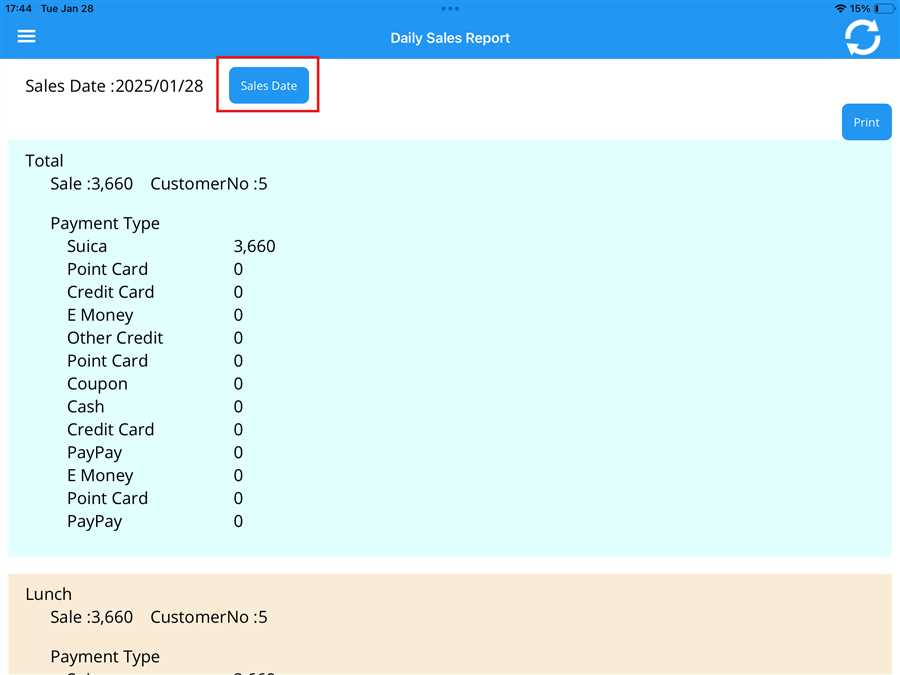
By pressing on "Print", the user can also print the daily sales on receipt.
