How to Execute MonthlyClosing?
Open Monthly Closing Page
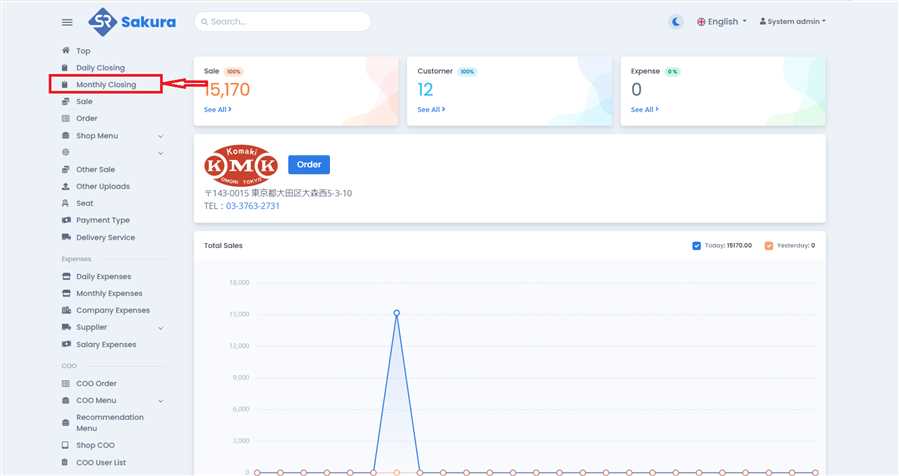
Click 'Monthly Closing' in main navigation bar to open Monthly Closing page/list.
Click Option Button
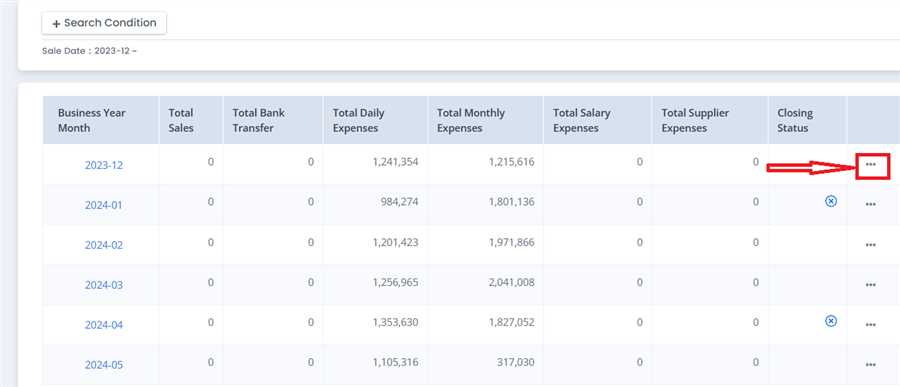
On the Monthly Closing List Page, Click options icon(...) on the row you want to execute Monthly Closing on.
Click Monthly Closing
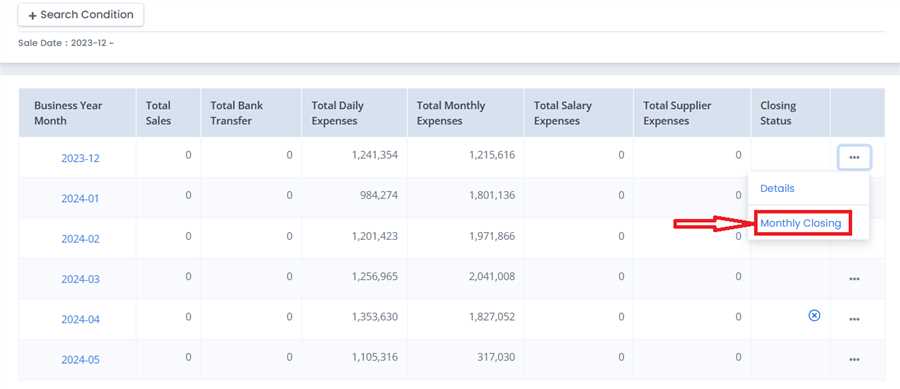
Click on monthly closing as shown in image.
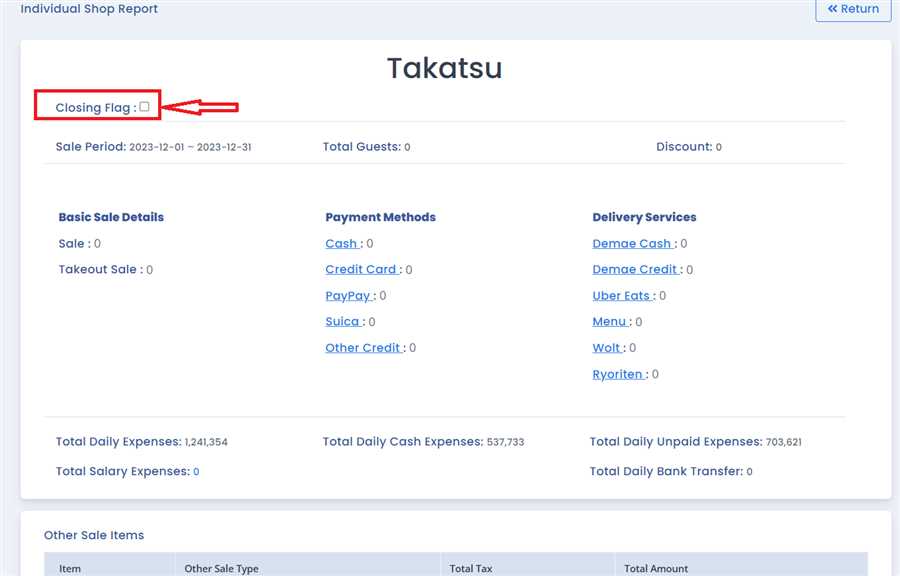
Tick Closing Flag
Tick the Closing Flag Checkbox On the top right area of page that opens after clicking Monthly Closing button.
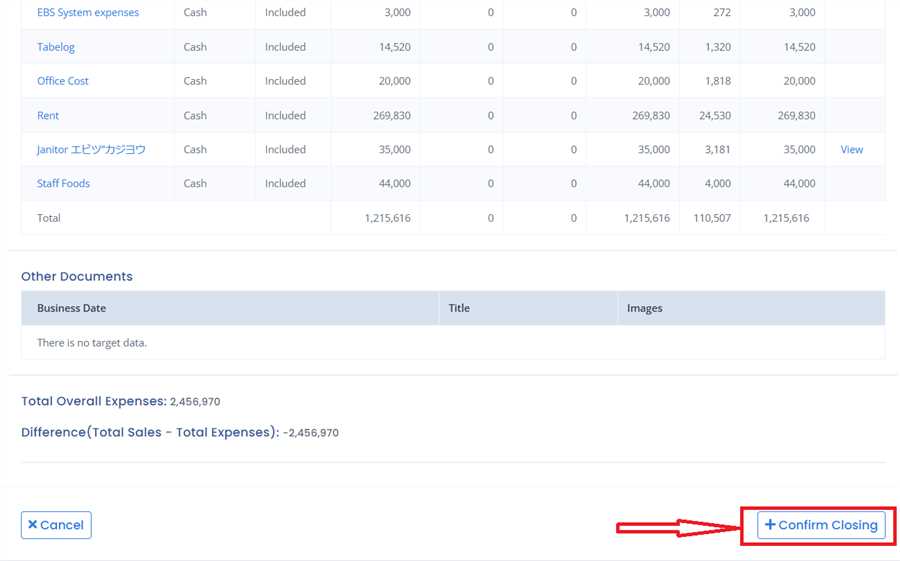
Submit
Navigate towards the bottom of the page and click on 'Confirm Closing' button to execute monthly closing.
Find out Closed data
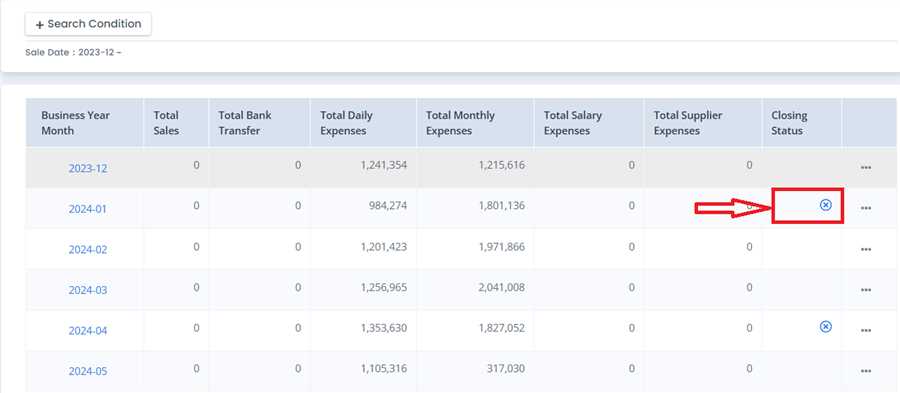
The blue cross in closing status column indicates that monthly closing of that row is executed.