1. Open your preferred browser(Chrome, Firefox, Safari, etc.) and go to the URL "https://account.sakurareji.com".
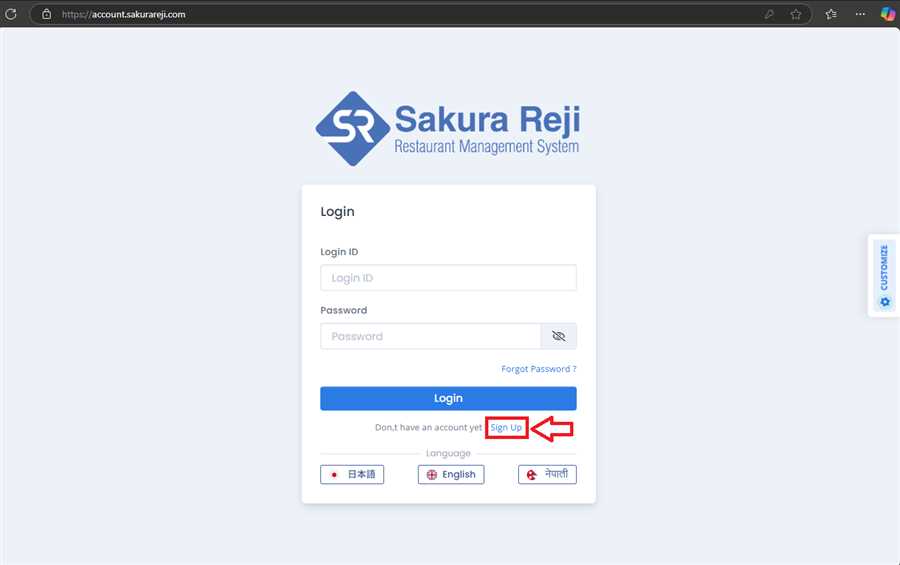
2. Click on the Sign Up link as pointed in the above picture. You will get a form where you enter your information and click on Submit button.
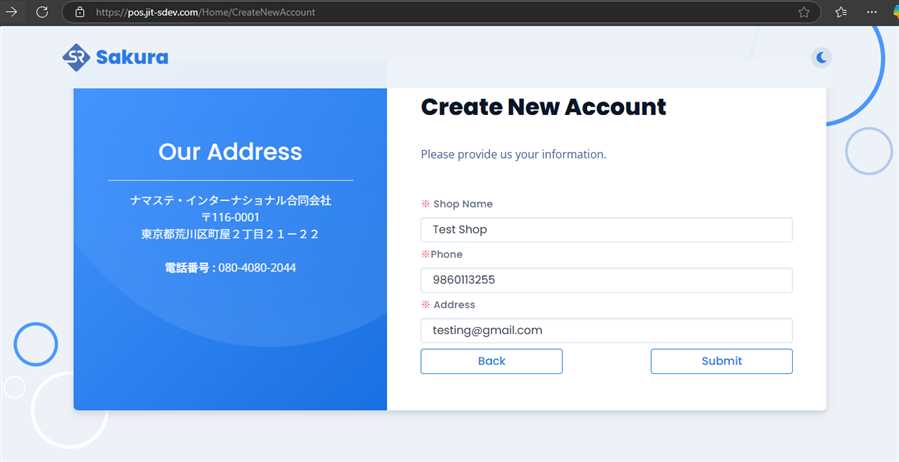
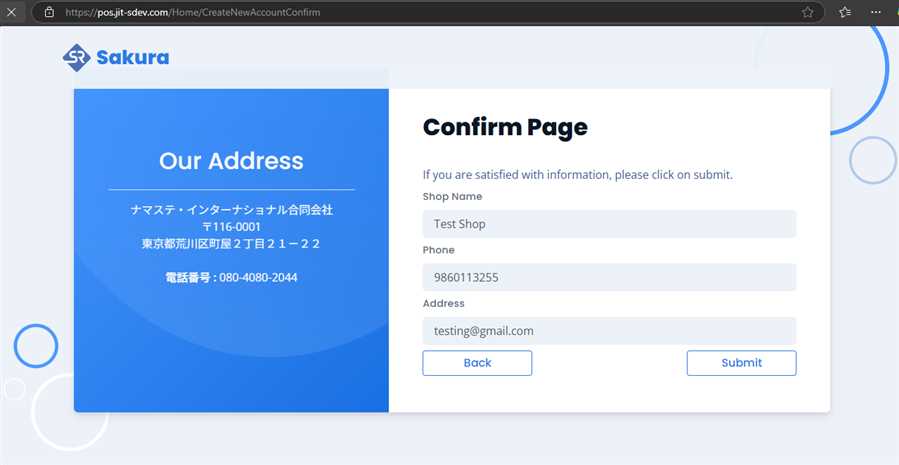
3. On clicking Submit, you are taken to confirm page. Check the data you have entered and click on Submit button. Click on the Back button if you need to modify the data again.
4. After submission of your form, you will see a completion message as follows:
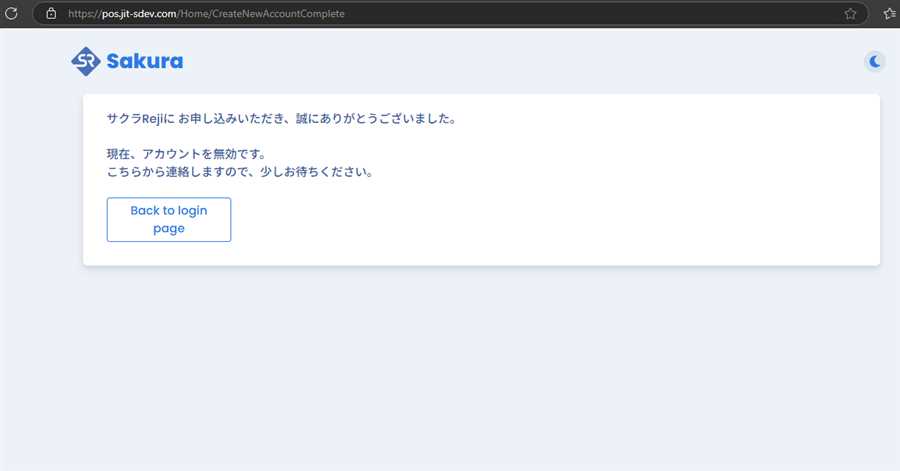
After this, you will have to wait and you will receive email with you login credentials from the admin.
