How to Upload Images and register?
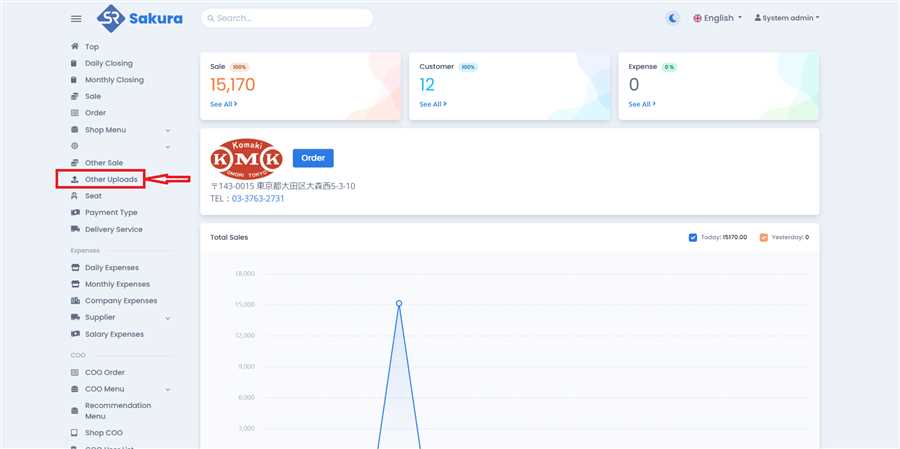
Open Other Uploads Page
Click 'Other Uploads' in main navigation bar to open other uploads page/list.
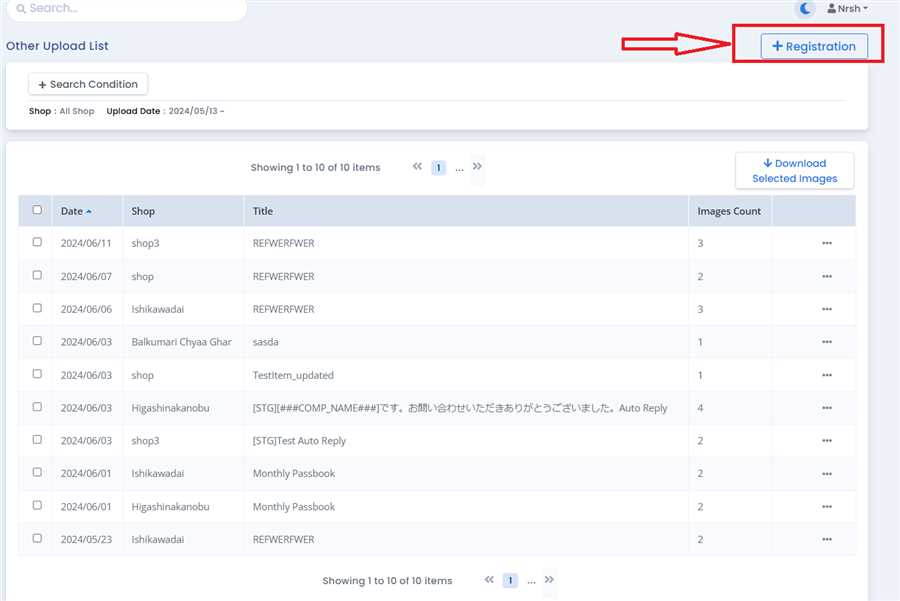
Click on Registration
Go to the Other Uploads Page and click 'Registration' Button.
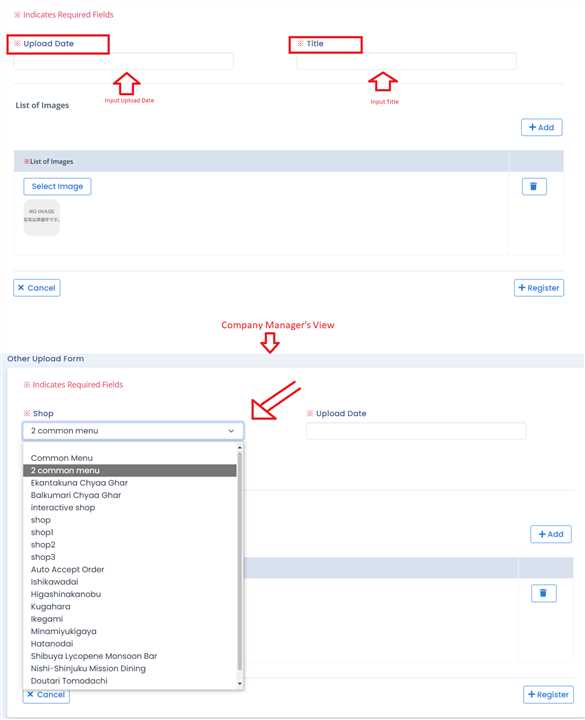
Input Data
Input Upload Date and title in the form that opens after clicking 'Registration' Button. You must also Select a shop if you are Company Manager/General.
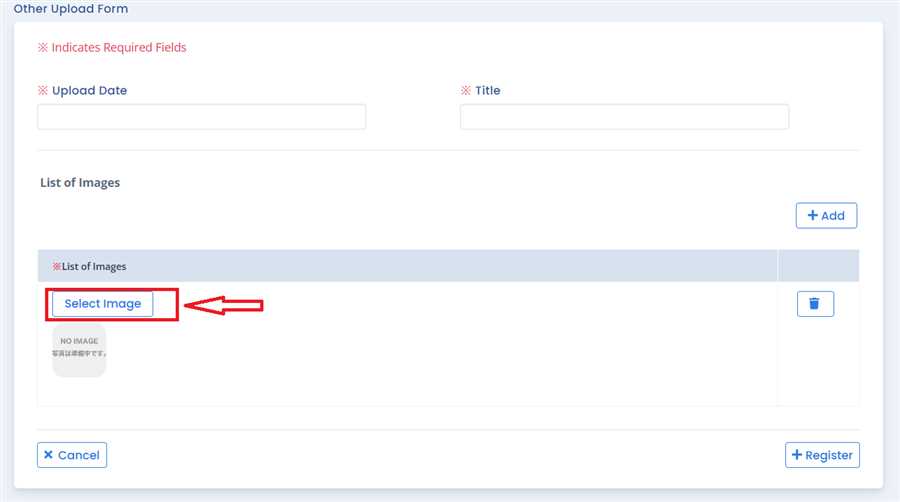
Click on Select Image
Click on 'Select Image' as shown in the image.
Select and Upload Image
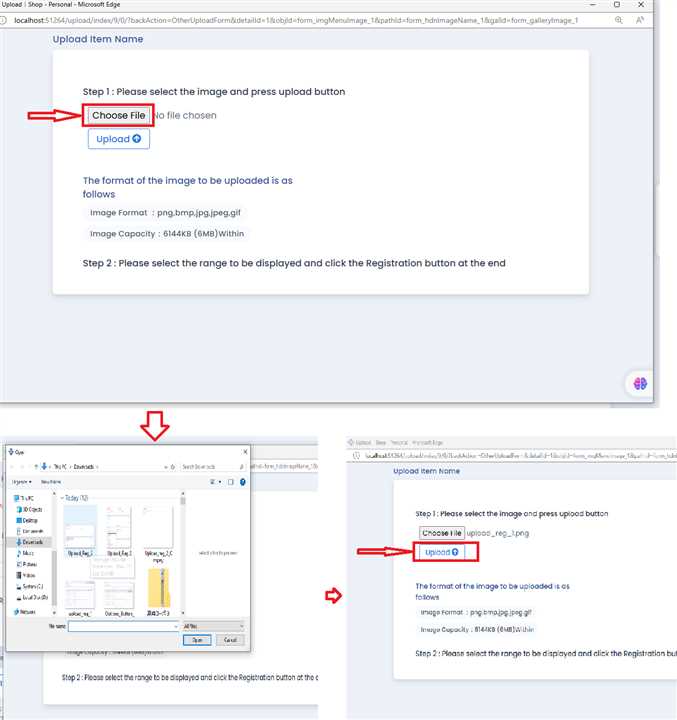
A new Pop up tab will open once you click on 'Select Image' button. Click on 'Choose file' button, Select the file you want from your device and click on 'Upload' Button.
Submit the file
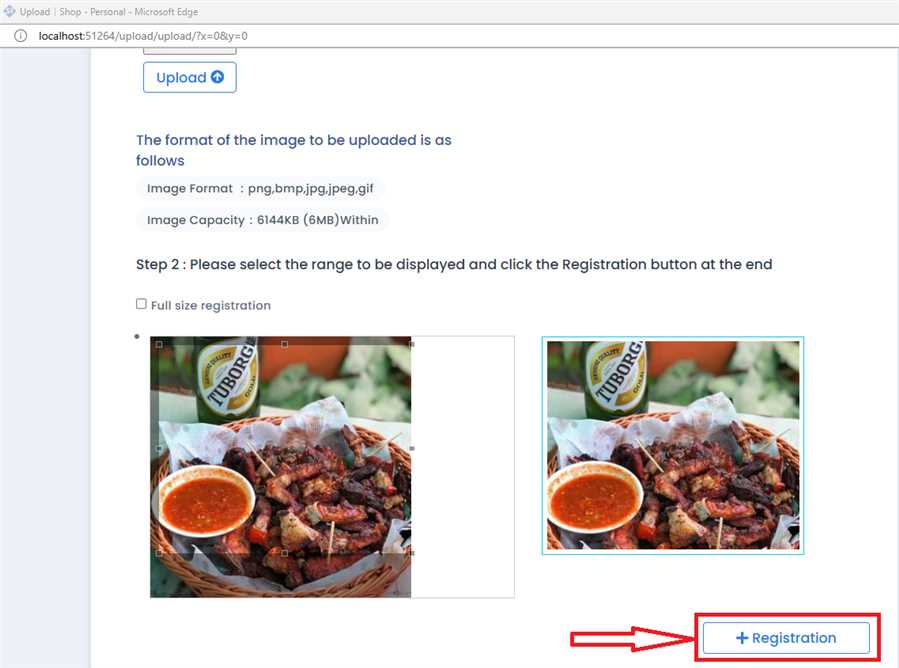
Crop the image according to your requirements and click 'Registration' Button.
Add more than one file
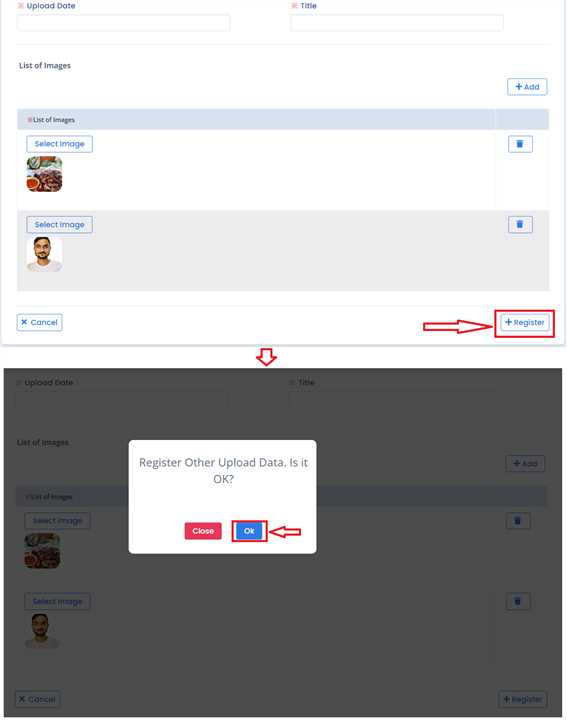
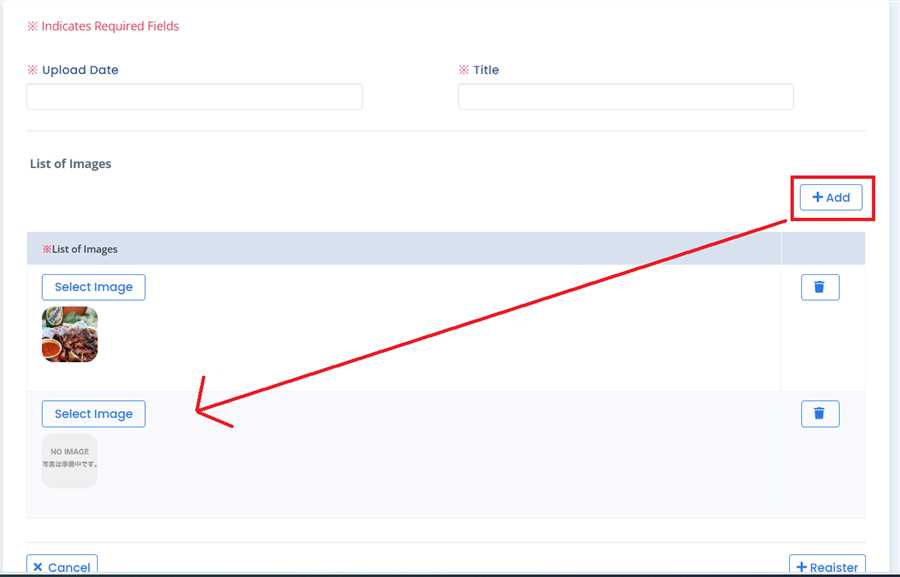
To upload more than one files, Click on 'Add' button as shown in the image. A new row to add image will appear.
Submit
Finally, click on 'Register ' button and then click 'OK' button to confirm your registration.