How to view uploaded Images?
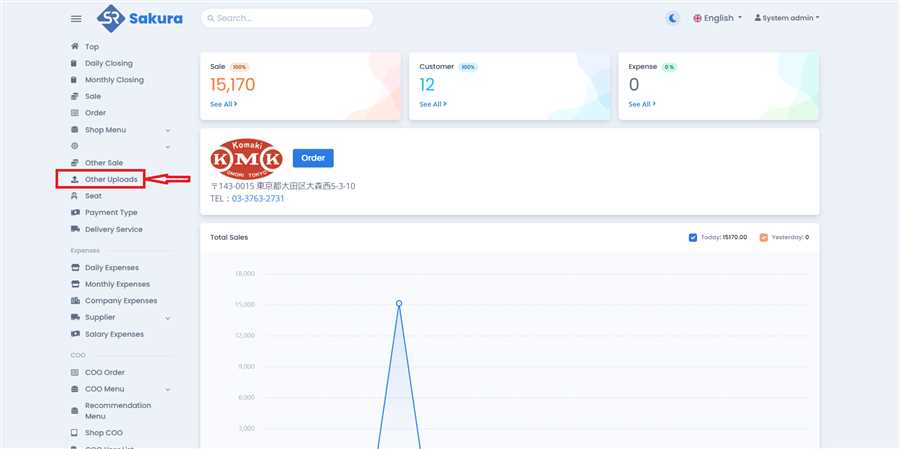
Open Other Uploads Page
Click 'Other Uploads' in main navigation bar to open other uploads page/list.
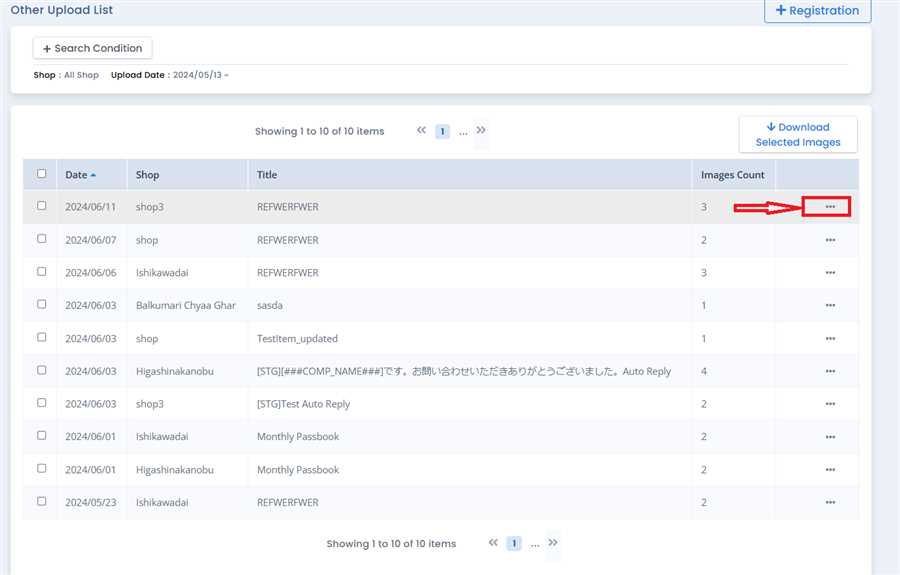
Click Option Button
On Other Uploads page, determine which images you want to see by looking at the Title and Upload date. After that, click on options icon(...) on the row you want.
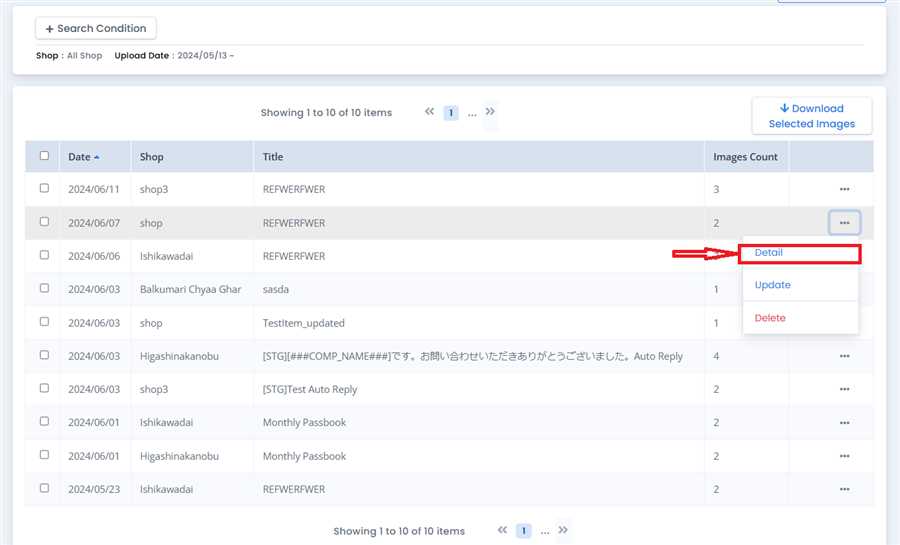
Click Detail Button
Click on the 'Detail' Button. This will open the detail page from which you can view uploaded images.