How to update uploaded images?
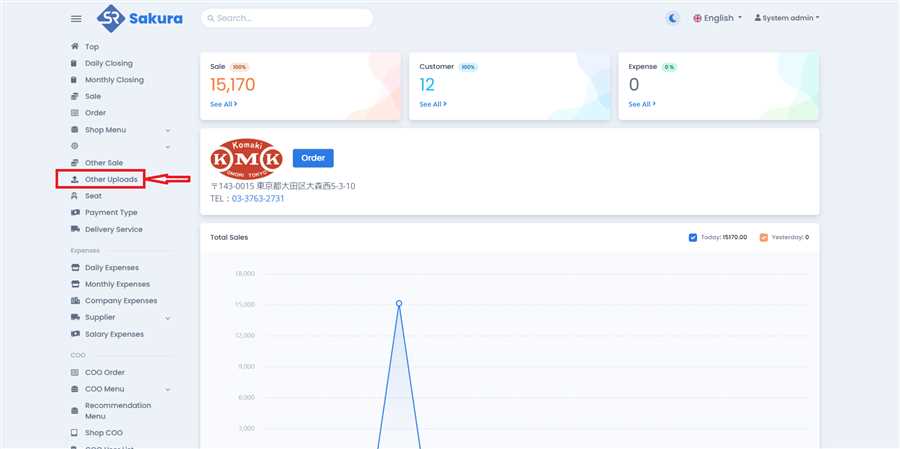
Open Other Uploads Page
Click 'Other Uploads' in main navigation bar to open other uploads page/list.
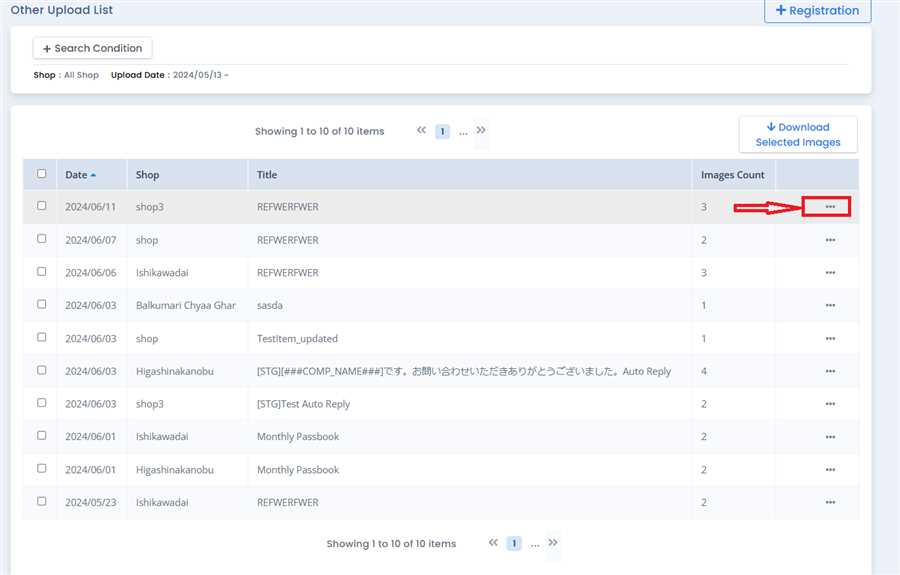
Click Option Button
On Other Uploads page, determine which images you want to Upload by looking at the Title and Upload date. After that, click on options icon(...) on the row you want.
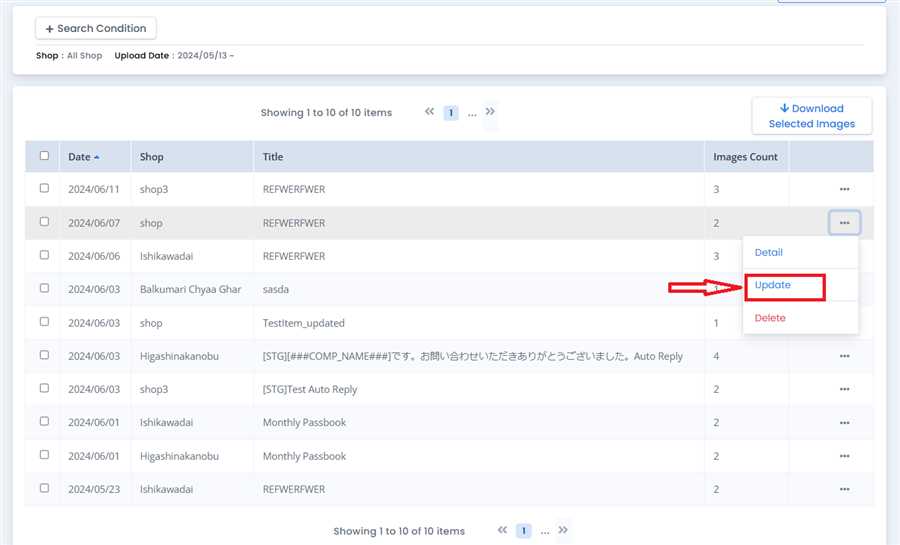
Click Update Button
Click the 'Update button' as shown in the image. This will open up the update form.
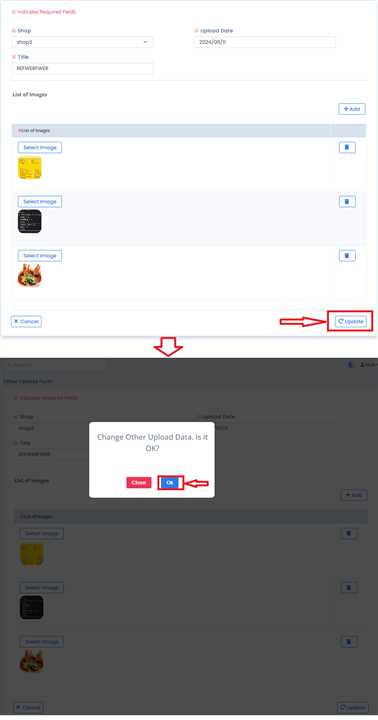
Submit Your Updates.
Update the form data as per requirements and click on 'Update' button. Click on 'OK' button in confirmation message box to finish.