How to download the uploaded images?
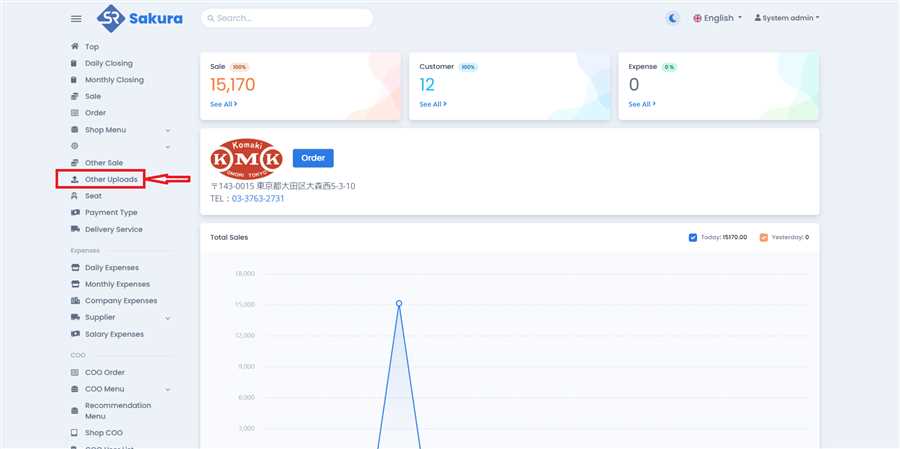
Open Other Uploads Page
Click 'Other Uploads' in main navigation bar to open other uploads page/list.
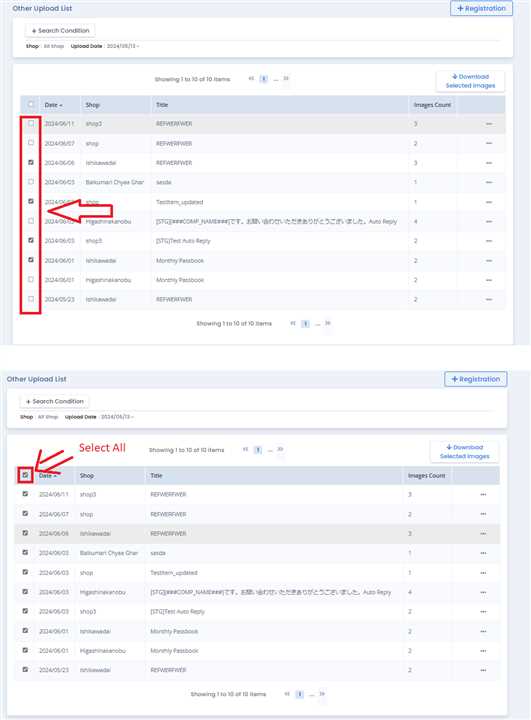
Tick Checkboxes
On Other Uploads page, determine which images you want to Download by looking at the Title and Upload date. After that, Tick the checkbox on rows you want to download. If you want to select all data click on the Checkbox of column as shown in image.
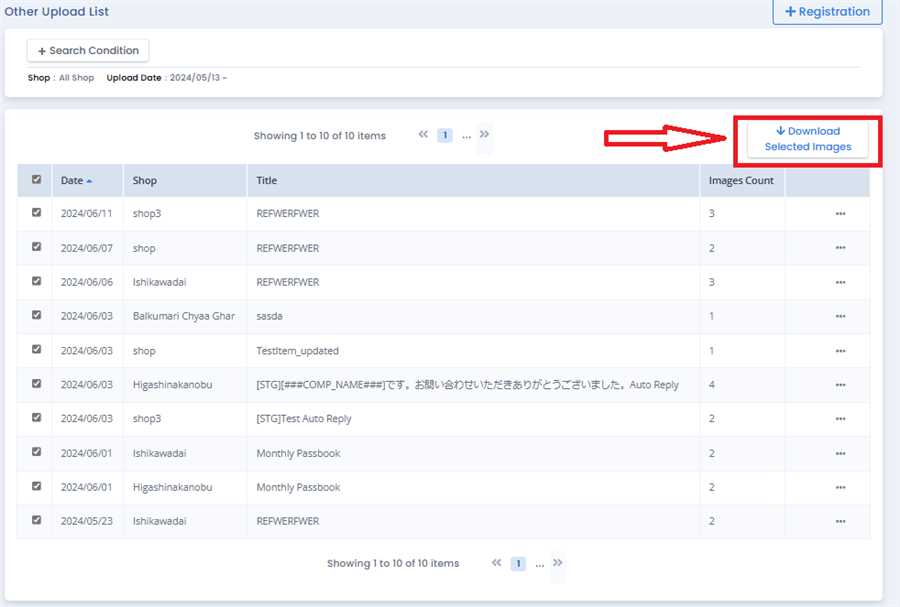
Click Download Button
Click on 'Download Selected Data' button to download images on your device.