How to Execute Daily Closing?
Open Daily Closing Page
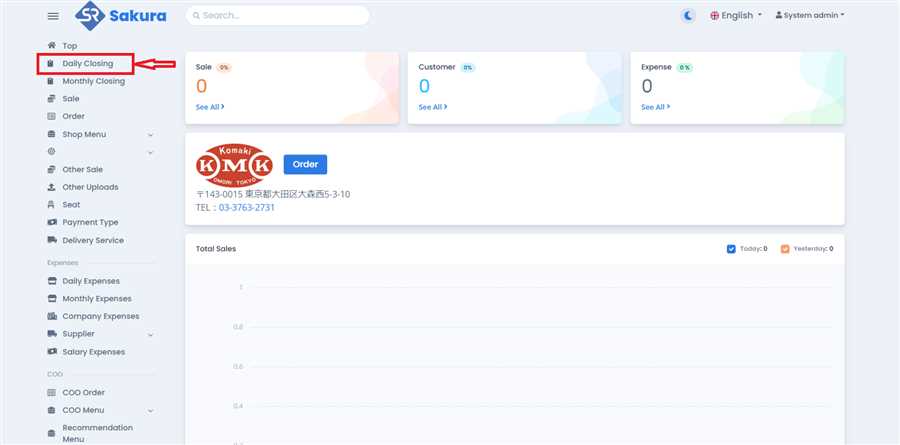
Click 'Daily Closing' in main navigation bar to open Daily Closing page/list.
Click Option Button
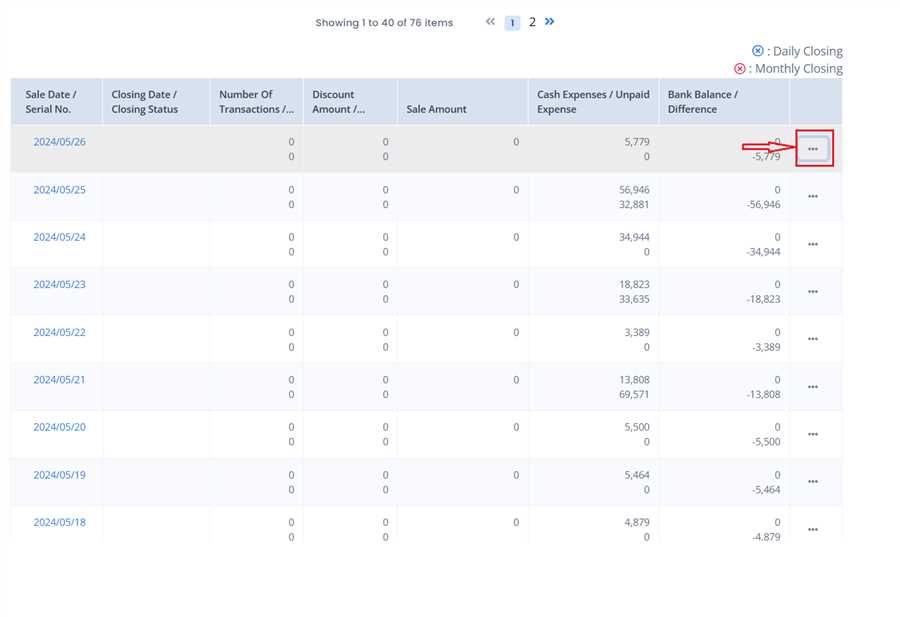
Click on option icon(...) on the row you want to execute Dailly Closing.
Click Daily Closing
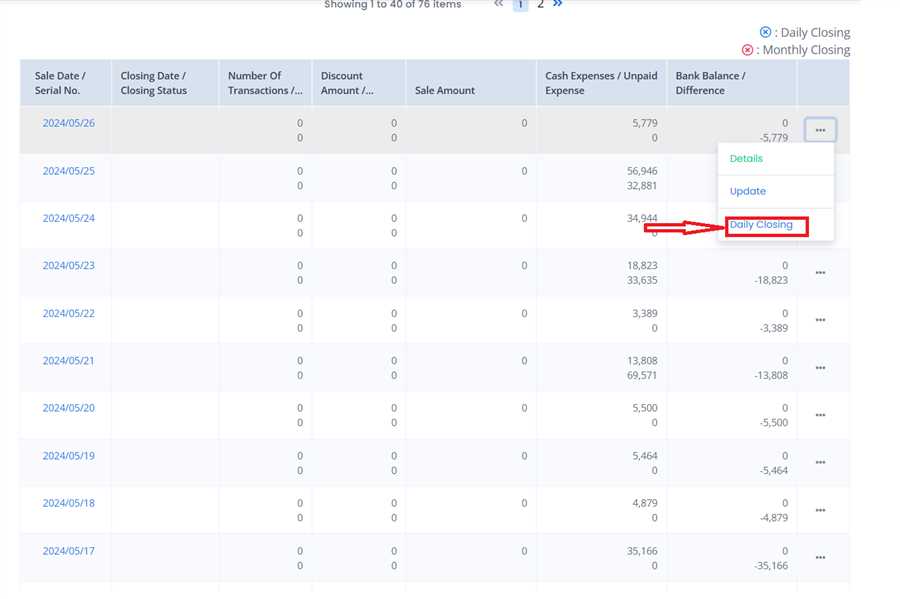
Click on the 'Daily Closing' Button to open up Daily Closing Form.
Execution
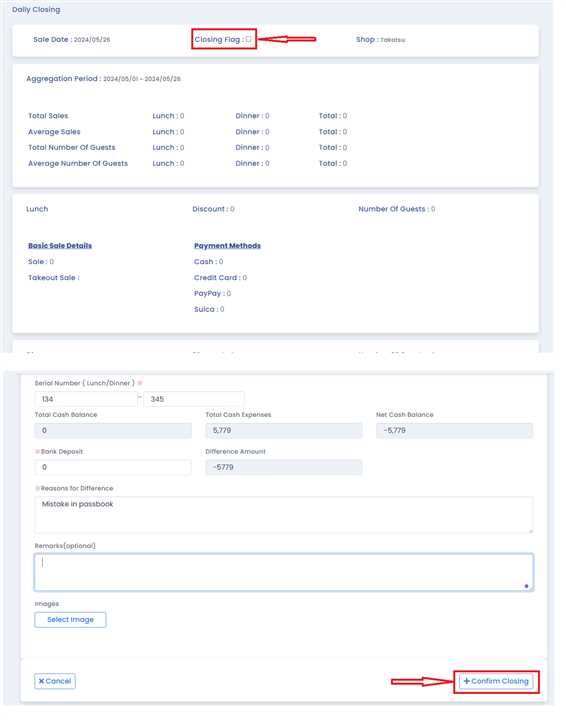
After the form opens up, Tick the checkbox labelled Closing flag(on top of the form) And then click the 'Confirm Closing' Button on the bottom right corner.