Permission to access your local network
Did you give the app permission to access your local network while setting up the app for the first time?
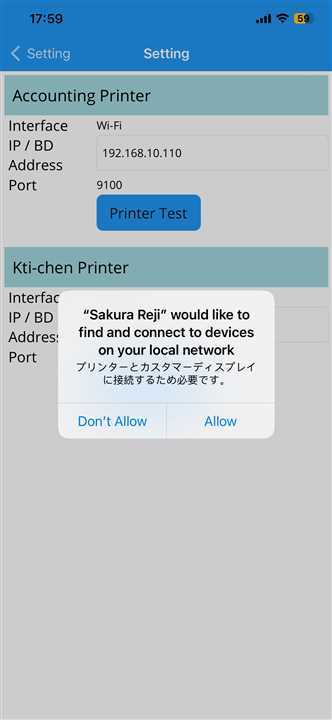
Didn't notice the pop up or clicked "Don't Allow"?
Do you remember giving your app permission to access your local network devices?If not, no need to worry.Follow the following instructions to give access to the app through settings.
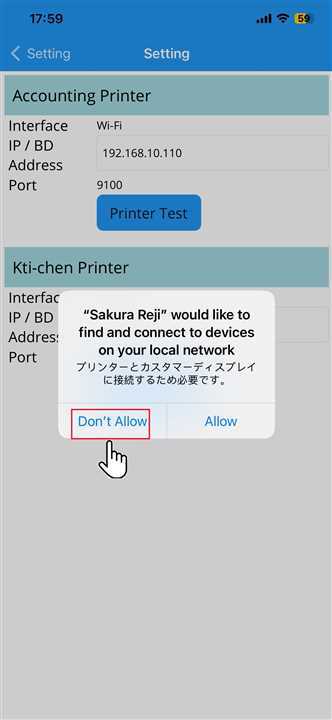
Access denied
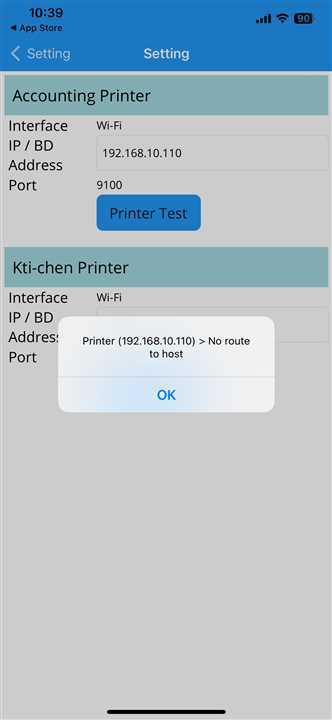
If you tap "Don't Allow" button then, printer test fails as seen in the image below:
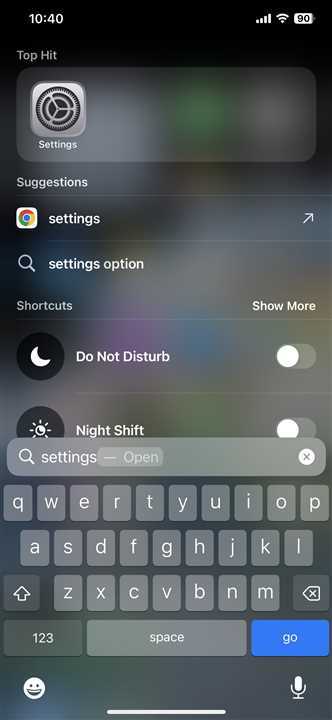
Go to Device Setting
Search for settings of your devices.
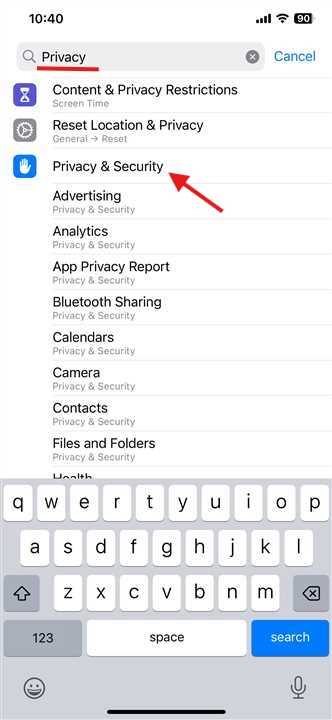
Go to Privacy and Security
Search for privacy and security in the settings. Tap on "Privacy & Security".
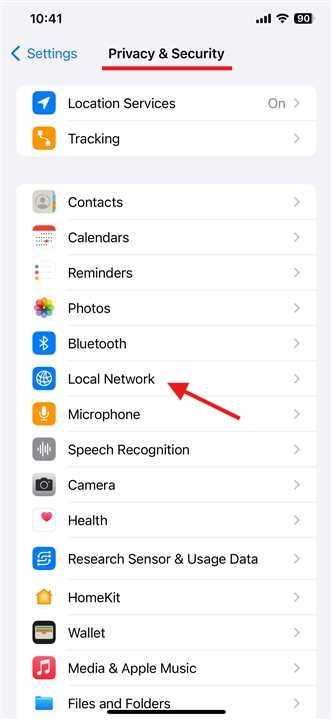
Go to Local Network
Inside the Privacy & Security, look for Local Network and tap on it.
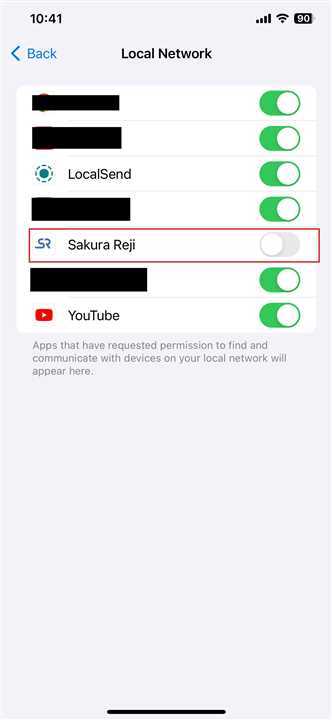
Turn on access to Local Network
Look for the "Sakura Reji" app in the Local Network settings.Currently it should look like the image attached
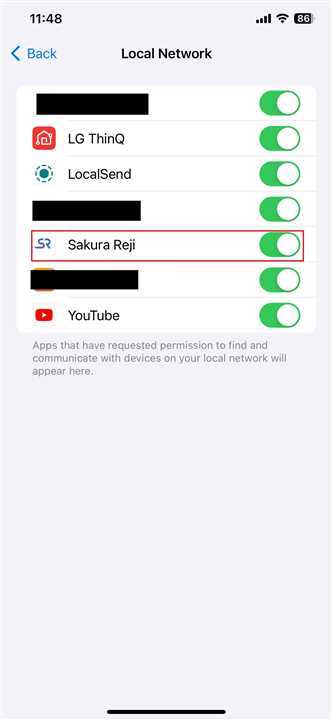
Access to local network enabled
Turn on the access to the "Sakura Reji".Try the printer settings again. If it still doesn't print then try restarting your device and printer as well and try again
If the above condition is correctly followed printer should work in same network.
